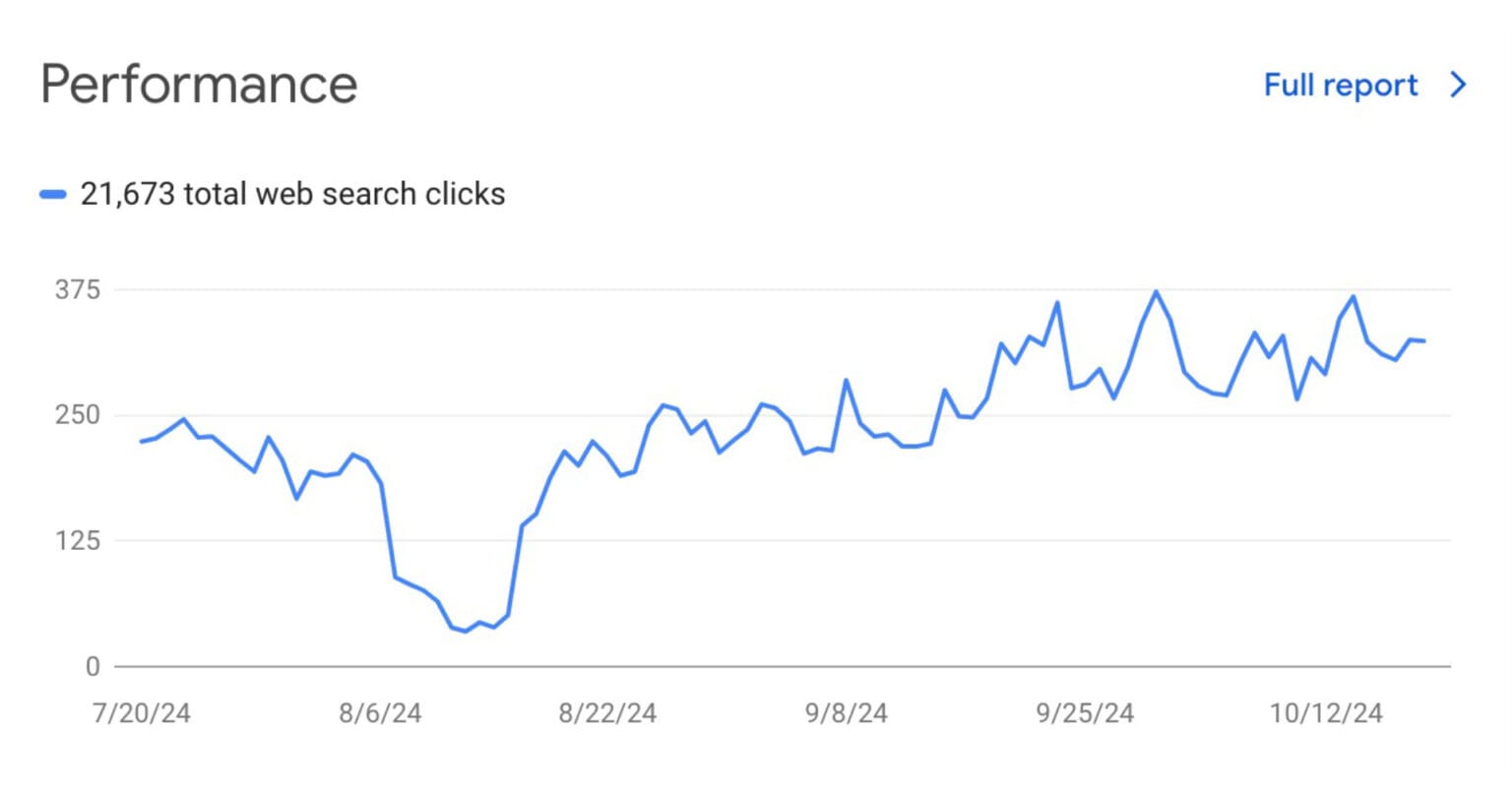
Google Search Console (GSC) is a free web service provided by Google that allows website owners to monitor and maintain their site’s presence in Google Search results. It offers valuable insights into how Google views your site, helping you optimize for better performance and visibility.
Key Features:
Performance Reports: Analyze clicks, impressions, click-through rates (CTR), and average position for your site in search results.
URL Inspection Tool: Check how specific URLs are indexed and troubleshoot any issues.
Index Coverage Reports: View which pages are indexed, any errors encountered, and suggestions for fixing them.
Sitemaps Submission: Submit sitemaps to help Google crawl your site more effectively.
Mobile Usability Reports: Identify mobile usability issues affecting your site’s performance on mobile devices.
Core Web Vitals: Monitor metrics related to user experience, such as loading speed and interactivity.
Security Issues Alerts: Receive notifications about potential security issues like malware or hacking attempts.
Manual Actions Report: Check if any manual penalties have been applied to your site by Google.
Use Cases:
SEO Optimization: Identify keywords driving traffic and optimize content accordingly.
Monitoring Site Health: Regularly check for technical SEO issues that could affect performance.
Improving Indexing: Submit new pages for indexing to ensure they appear in search results quickly.
Analyzing User Experience: Use Core Web Vitals to enhance user experience on your site.
Troubleshooting Errors: Investigate crawl errors or indexing issues reported by GSC.
How Google Search Console Works:
Account Setup: Users need a Google account to create and verify ownership of their site in GSC.
Data Access: Once verified, users can access various reports and tools to analyze their site’s performance.
Notifications: Users receive alerts about critical issues, such as security threats or indexing problems, enabling quick action.
Performance Tracking: Users can track changes in search performance over time and adjust strategies based on data insights.
Actionable Insights: The platform provides recommendations for improving site health and visibility based on the collected data.
Frequently Asked Questions
What is Google Search Console?
Google Search Console is a free tool from Google that helps website owners monitor, maintain, and troubleshoot their site’s presence in Google Search results.
Do I need to sign up for Google Search Console to be included in Google Search results?
No, you do not need to sign up for Google Search Console to be included in search results. However, using it can help you understand and improve your site’s visibility.
How do I set up Google Search Console?
To set up GSC, sign in with your Google account, add your website as a property, and verify ownership through methods like DNS verification or uploading an HTML file.
What types of reports can I access in Google Search Console?
Users can access various reports, including:
Performance Report
Index Coverage Report
URL Inspection Tool
Mobile Usability Report
Core Web Vitals
Security Issues Report
How can I submit a sitemap?
To submit a sitemap, navigate to the “Sitemaps” section in GSC, enter the sitemap URL, and click “Submit.” This helps Google crawl your site more efficiently.
What are Core Web Vitals?
Core Web Vitals are metrics that measure user experience factors like loading speed, interactivity, and visual stability of a webpage.
What should I do if I receive a manual action notification?
If you receive a manual action notification, it means your site has violated Google’s policies. You should address the issues outlined in the Manual Actions report and request reconsideration once resolved.
Can multiple users access the same property?
Yes, you can add multiple users with different permission levels (owners, full users, or restricted users) to your GSC property.