
Kling AI Motion Control

AI

Turn static images into realistic animated videos.

Pricing: $10/mo.

Start for free.

og.webp

Platform

Pricing

Launched

About Kling AI Motion Control

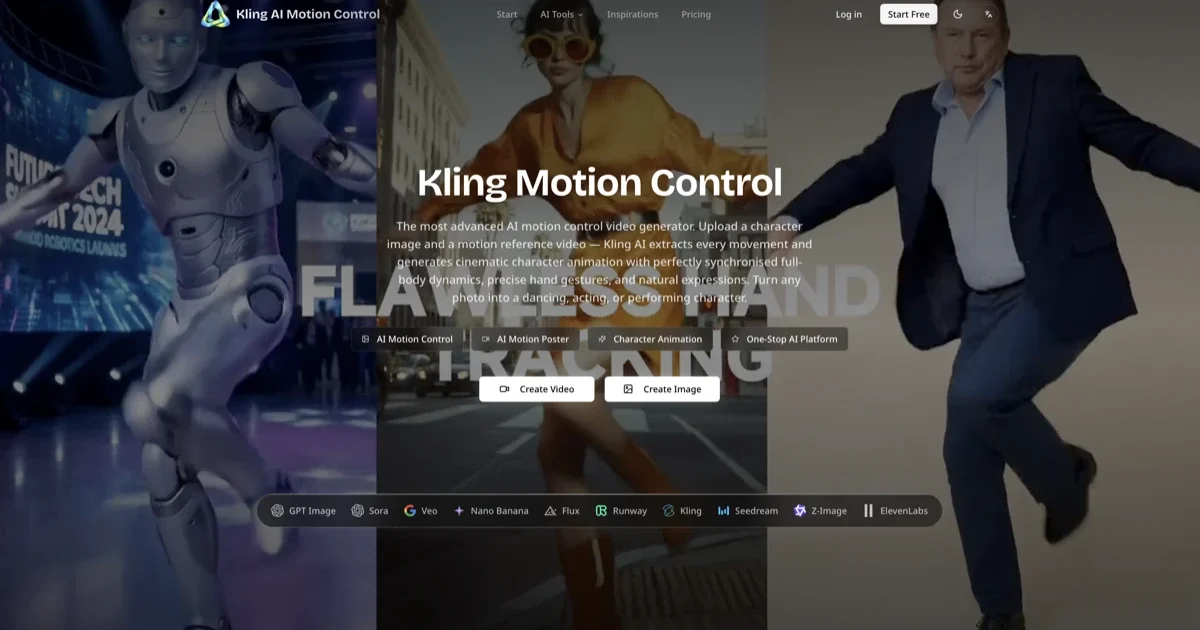
Kling AI Motion Control is an advanced AI motion transfer tool that lets you turn a static image into a realistic animated video by applying motion from a reference video. It extracts real movement (like walking, dancing, gestures) from a video, then applies that motion to a character or image. This results in a controlled, realistic image-to-video animation instead of random AI motion.

Key Features

  • Motion extraction from real videos (3–30 seconds) and precise transfer to images
  • Full-body motion accuracy including posture, limbs, and complex actions
  • Fine hand and gesture control for realistic expressions
  • Character identity consistency across frames (no distortion)
  • Prompt-based control to adjust background, style, lighting, and scene
  • Flexible orientation modes (match video motion or preserve image framing)
  • Optional audio preservation from the reference video
  • One-shot video generation (up to ~30 seconds)
  • Camera movement support (pan, zoom, tracking)
  • High-quality export (HD video, ready for social media)

Use cases

  • Character animation (cartoons, avatars, illustrations)
  • Social media content (Reels, TikTok, Shorts with trending motions)
  • Marketing videos (brand mascots, product demos, ads)
  • Storyboarding and pre-visualization for films or creative projects
  • AI influencers or virtual creators using consistent motion across characters
  • Product showcases (animate product photos with motion)
  • Dance or choreography transfer to digital characters
  • Educational or explainer videos with animated presenters

How it works for the user

  1. Upload a reference motion video (e.g., someone walking, dancing)
  2. Upload a character image (person, avatar, illustration)
  3. Add a text prompt to define background, style, or scene
  4. AI extracts motion paths from the video and maps them onto the image
  5. Generate the animated video (usually within minutes)
  6. Preview, refine if needed, and download the final video

Read More

Frequently Asked Questions

It is used to animate static images by applying real motion from a reference video, making it useful for content creation, marketing, and character animation.

No, it is designed to be beginner-friendly. You just upload a video and an image, and the AI handles the motion transfer.

You can upload short clips (typically 3–30 seconds) showing clear human movement such as walking, dancing, or gestures.

Clear, high-quality images of full-body characters (real people, illustrations, or avatars) work best for accurate motion transfer.

Yes, it is designed to preserve the identity and appearance of the character across all frames.

Yes, you can regenerate with different prompts or inputs to improve results, and further edit the video in external tools if needed.

Reviews

Low-effort reviews like “Great app, I love it” or “I didn’t like it” aren’t very helpful for users or app creators. Please tell us more about your experience.

Ratings

Great0%

Good0%

Decent0%

Bad0%

Terrible0%
This site is protected by reCAPTCHA. Google Privacy Policy and Terms of Service apply.
Traffic Stats.

All services are Online.

MavTools is a Stripe Climate Member.

  • © 2025, Billion Ventures LLC