AI
Pricing: $19.9.
About LTX-3 AI
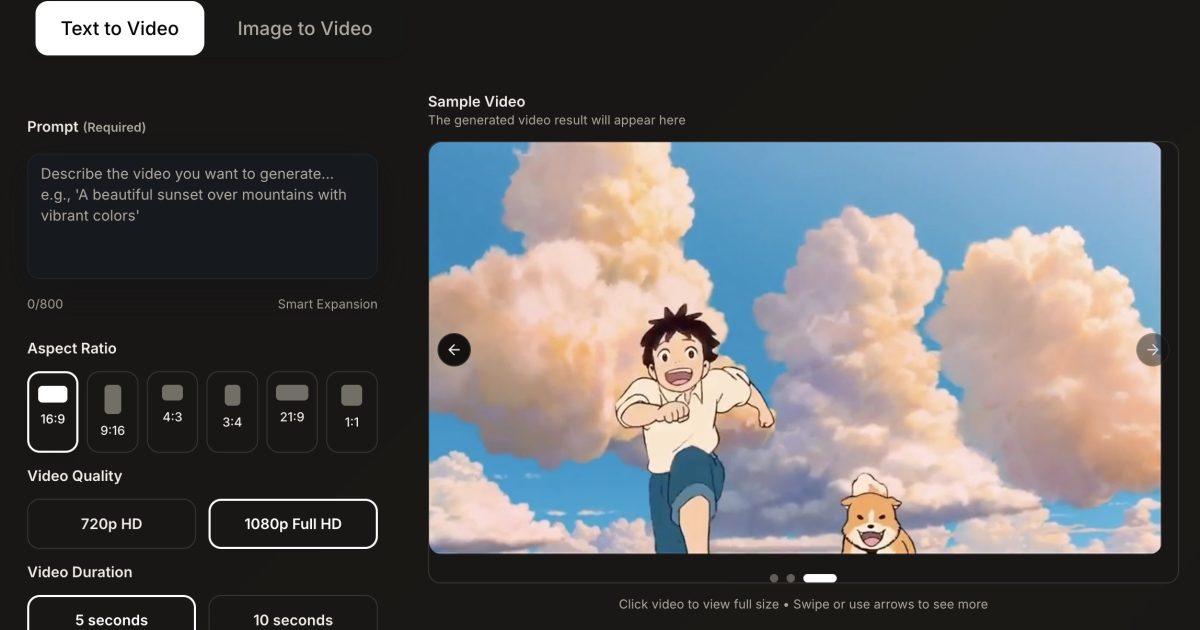
LTX-3 AI is a next-generation LTX 3.0 Model for long-form, high-fidelity video. Use LTX-3 Studio to turn scripts and images into LTX 3.0 AI Video clips in seconds, iterate full LTX 3.0 Video storyboards, and review LTX-3 Video Online Free before rendering final 4K cuts with synchronized audio.
Key Features
AI Storyboard Generator: Automatically transforms scripts or text prompts into a shot-by-shot visual storyboard.
Consistent Characters: Maintains the same character appearance, clothing, and features across different scenes and shots to ensure narrative continuity.
Script-to-Video: Generates full video sequences directly from written scripts, including dialogue and scene transitions.
Directorial Controls: Allows users to specify camera angles (pan, tilt, zoom), lighting, and atmospheric moods for every shot.
Retake Tool: Enables users to “redirect” specific segments of a video (2–16 seconds) to change actions or expressions without regenerating the entire scene.
AI Audio & Lip-Sync: Automatically generates synchronized dialogue, ambient sound effects, and background music that matches the visual performance.
Timeline Editor: A built-in video editor that allows for trimming, rearranging clips, and fine-tuning the final cut.
Multi-Model Integration: Offers access to various AI models, including Lightricks’ own LTXV for speed and Google’s Veo 2/3 for high-fidelity cinematic output.
Use Cases
Filmmaking & Pre-production: Directors use it to create “animatics” or visual proofs-of-concept for feature films and short stories.
Advertising & Marketing: Agencies rapidly prototype commercials, test different messaging angles, and create high-quality social media ads.
Pitch Decks: Creators generate polished visual presentations to pitch movie or TV show ideas to studios and investors.
Content Creation: YouTubers and social media influencers produce narrative-driven content or music videos with high production value and low overhead.
Business Presentations: Enterprises create professional-grade internal communications or training videos using text-to-video tools.
How It Works for the User
Ideation: You start by entering a simple text prompt, a detailed concept, or uploading a full script into the platform.
Project Setup: The AI analyzes your text to extract “Elements,” such as key characters, locations, and objects, which you can then customize or lock for consistency.
Storyboard Generation: The system builds a structured storyboard where you can see every shot; you can then swap, delete, or expand these shots as needed.
Refinement: You use the “Directing” tools to adjust camera movements and lighting or use the “Retake” feature to fine-tune specific character performances.
Audio Layering: You add or generate voiceovers and soundtracks, ensuring the AI-generated characters’ lip movements match the audio.
Exporting: Once the edit is complete, you export the project as an MP4 for sharing or as an XML file to continue editing in professional software like Adobe Premiere or Final Cut Pro.
Frequently Asked Questions
LTX Studio is an AI-powered filmmaking platform developed by Lightricks. It allows users to handle the entire video production process—from scriptwriting and storyboarding to character consistency and final video generation—in one place.
It is designed for filmmakers, advertising agencies, content creators, and marketing professionals who want to prototype ideas or produce high-quality video content without a full production crew.
The platform uses a system called “Elements.” You can define a character’s appearance once, save it as an Element, and then “tag” that character in any scene. The AI ensures the character looks the same across different shots and camera angles.
Yes. Unlike many text-to-video tools that generate random motion, LTX Studio gives you specific “Directorial Controls” to set camera actions like pans, tilts, zooms, and even specify the intensity of the motion.
The Retake tool allows you to select a specific 2-to-16-second segment of a video and regenerate just that part. You can change the character’s expression or an action within a shot without having to redo the entire scene.
Yes, there is a Free Tier that provides a limited amount of “compute seconds” for personal exploration. For more credits, higher resolution, and commercial rights, you must upgrade to a paid plan (Lite, Standard, or Pro).
You can export your final projects as MP4 video files. Professional editors can also export XML files, which allow you to bring the project into software like Adobe Premiere Pro or Final Cut Pro for further editing.
Low-effort reviews like “Great app, I love it” or “I didn’t like it” aren’t very helpful for users or app creators. Please tell us more about your experience.
Ratings
Great0%
Good0%
Decent0%
Bad0%
Terrible0%
Pricing: $19.99/mo.
Start for free.

Pricing: $9.99/mo.
Start for free.
There are no similar tools
ResetThis site is protected by reCAPTCHA. Google Privacy Policy and Terms of Service apply.