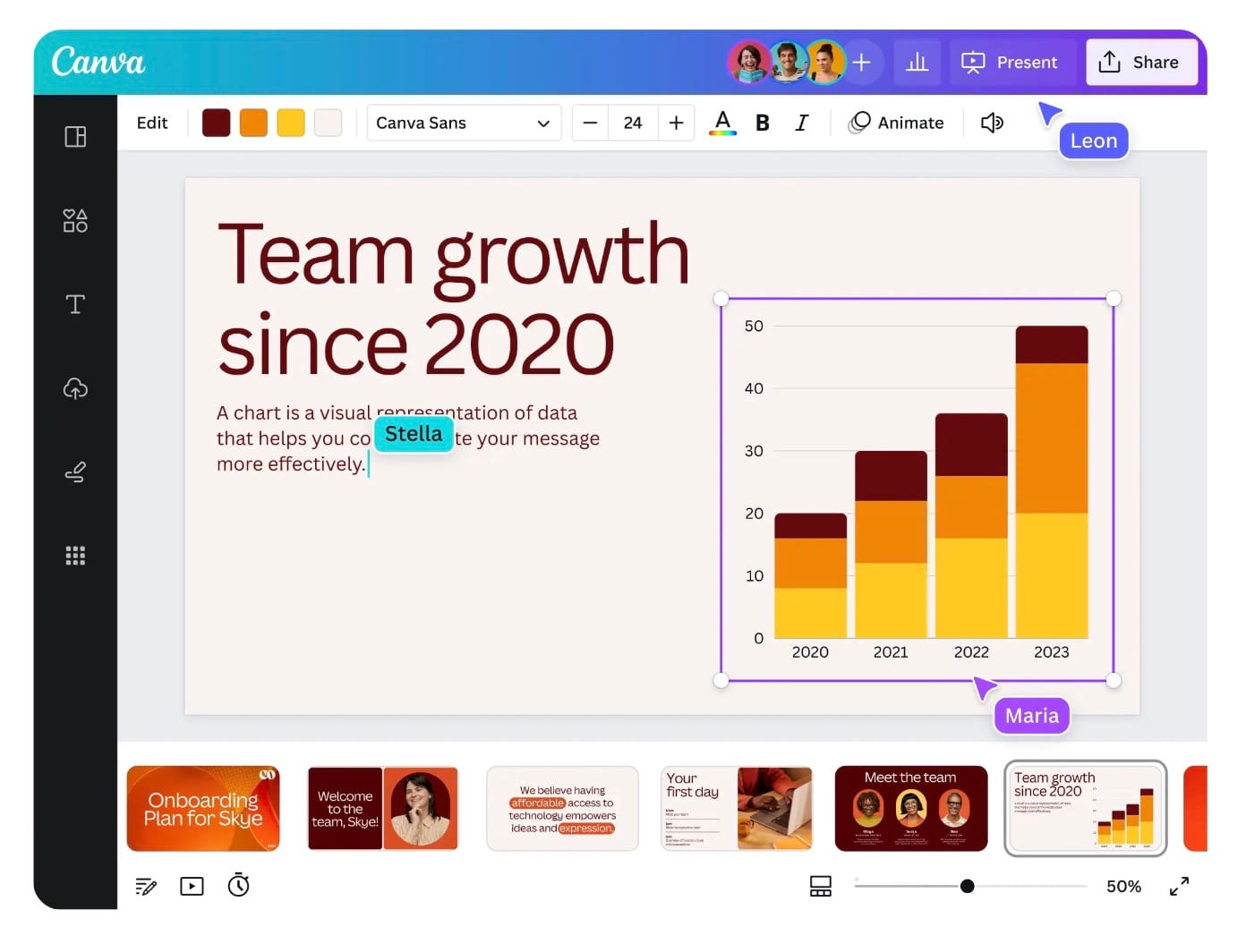
Canva is an online design tool that allows users to create a variety of visual content, such as presentations, social media posts, posters, and more, using an intuitive drag-and-drop interface and pre-designed templates.
Key Features:
Drag-and-drop design interface
Thousands of customizable templates
Extensive library of stock photos, icons, and illustrations
Collaboration tools for team projects
Built-in photo editing capabilities
Wide range of fonts and text effects
Animations and video creation tools
Download options in multiple formats (PNG, JPG, PDF, etc.)
Direct sharing to social media platforms
Brand kit to store logos, color schemes, and fonts
Use Cases:
Designing social media graphics (Instagram, Facebook, Twitter posts)
Creating marketing materials (flyers, brochures, business cards)
Building presentations and slide decks
Crafting invitations, posters, and event banners
Designing logos and brand assets
Developing infographics and reports
Producing video content and animated graphics
Collaborating on design projects with teams
Creating website or blog visuals
Designing printable materials for personal or professional use
How Canva Works:
Sign up for a free or paid plan (Canva Pro for additional features)
Choose a pre-made template or start from scratch
Use the drag-and-drop editor to add text, images, and other design elements
Customize the design with personal or stock content from the Canva library
Adjust colors, fonts, layouts, and effects with ease
Collaborate with others in real-time by sharing design links
Export and download designs in various formats or share them directly on social media
Frequently Asked Questions
Is Canva free to use?
Yes, Canva offers a free version with access to a wide range of features, including templates, stock photos, and editing tools. However, there is also a Canva Pro subscription, which unlocks additional features like premium templates, a larger media library, the background remover, and advanced collaboration tools.
Does Canva offer offline access?
No, Canva primarily works online. However, with the mobile app, you can work on designs offline, and your changes will sync once you’re connected to the internet again.
What file formats can I export from Canva?
Canva allows you to download your designs in multiple formats, including:
PNG
JPG
PDF (standard and print)
MP4 (for videos)
GIF
SVG (available for Canva Pro users)